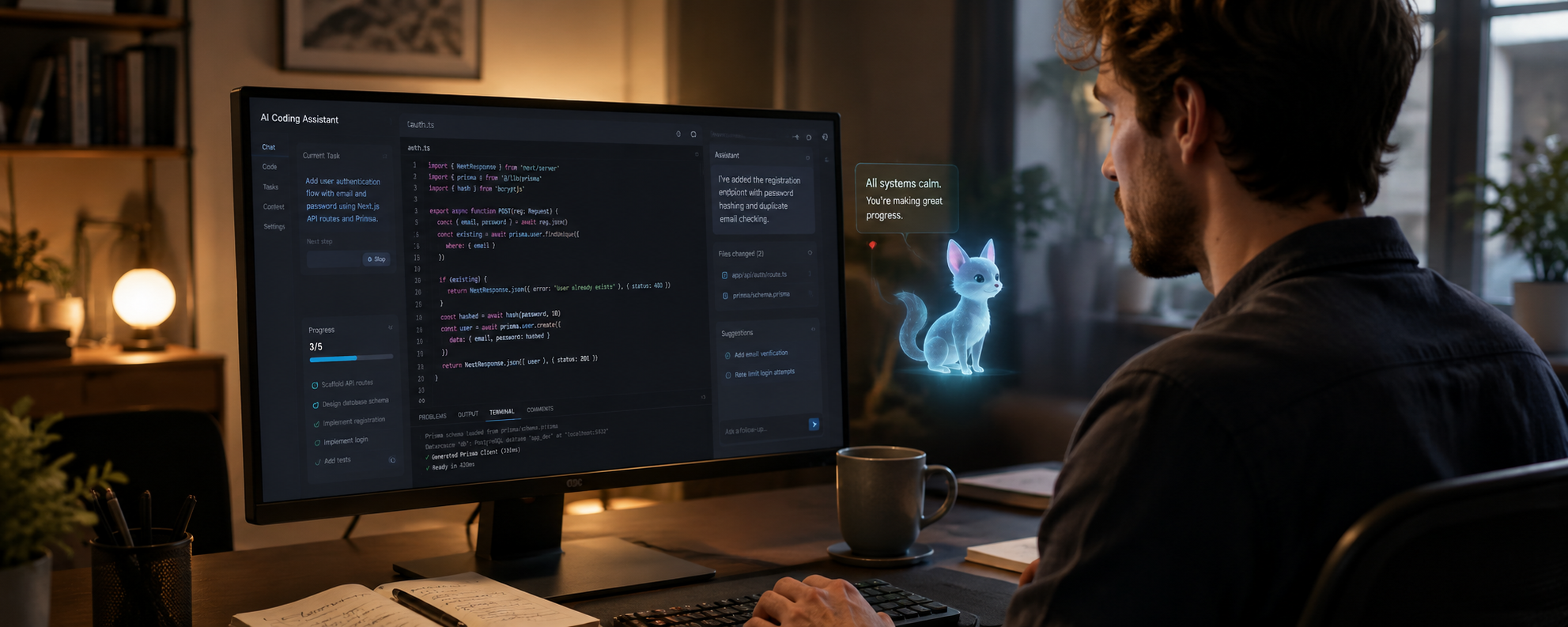
OpenAI’s Codex introduces animated digital companions that show what the AI is currently doing. At first, it sounds like a small playful feature, but it is actually quite clever. Details like this can make AI tools feel less cold, easier to understand, and more pleasant to use.
The idea behind it is not just “cute mascot.” These “Codex pets” are optional companions inside the Codex app. They appear as a light, semi-transparent overlay on the screen, so they remain visible without getting directly in the way. Their job is simple: they show what Codex is doing.
If Codex is busy, waiting, or ready for the next step, the pet can show that state visually. Instead of constantly opening a separate window or staring at some dry status message, one quick glance is enough. You can see: ah, my little digital colleague is still working.
And yes, that does sound a bit like a progress bar with fur. But that is exactly what makes it interesting.
This is more than decoration. It shows a small but meaningful shift in how AI tools are being designed. They no longer feel only like cold software windows, but more like active companions in the digital workspace.
From Progress Bar to Digital Companion
Most digital tools show progress through loading bars, spinning icons, or short status messages. That works, of course. But emotionally, a loading bar is about as warm as restarting your router at 2 a.m.
Codex pets take that basic idea and make it more approachable.
Instead of looking at a lifeless progress indicator, the user sees a small animated companion that quietly shows what is happening. The feature remains practical, but it feels a little more personal.
That matters more than it may sound. While working, people constantly jump between windows. They look something up, check a website, write text, review changes, or wait for Codex to finish something in the background. A small visual hint can reduce the need to keep switching back and forth.
In that sense, Codex pets are not just decoration. They are a friendlier way to make progress visible.
Or, put differently .. less “system is processing,” more “your little AI companion is currently on the case.”
Why This Matters Beyond Coding
When an AI assistant is working in the background, the user needs to understand what state it is in. Is it still working? Is it waiting? Is it finished? Has something changed?
For technical users, this can be shown through detailed logs or status messages. But let’s be honest: not everyone wants to read log files like they are reading a bedtime magazine for system administrators.
For normal users, these signals can quickly feel confusing or too technical. A small visual companion can make the process easier to understand without forcing people to read technical details.
That is where Codex pets become more interesting. They are a friendly interface for something that might otherwise feel abstract.
The Hard Part ... It Still Has to Be Useful
The challenge, of course, is making sure this kind of feature does not become pure gimmick.
People do not use Codex because they want a cute animation. They use it because they want support with difficult work. They want clarity, speed, reliability, and useful results.
The pet should not interrupt the user. It should not take over the screen. It should not replace clear information. It should simply add a bit of personality while also showing a useful status.
That balance is crucial. A good digital companion should make work easier, not more distracting.
A bit like a friendly NPC inside the operating system, just without the annoying quest markers.
Codex pets make AI activity visible without making it overwhelming. They make the workspace feel a little warmer without turning it into a cartoon.
And honestly, if we are going to work more and more with AI systems anyway, the interface is allowed to have a little character.
Conclusion
In the end, Codex pets will not solve every coding problem.
They will not repair a chaotic project by themselves, and they will not make difficult work disappear. But they can make the process feel a little less cold, a little less mechanical, and a little more approachable.
Sometimes good design is not about adding more power.
Sometimes it is about making powerful tools easier to live with.
And if that means a tiny digital pet floats at the edge of the screen while the AI works?
Then maybe that is not such a bad thing.
Maybe it is simply nerdy.
So, basically, exactly right.
Don't Panic!